- Install
- Basic operation
- Basics of programming for electronic work
- Basics of programming for Excel
- Machine learning with scikit-learn
- Visualizing data with matplotlib
- Web programming
- RPA programming
- Miscellaneous programming
- Reference
- "Basic" group
- ”Basic I/O" group
- ”PWM Output" group
- "Servo Motor" group
- ”Motor" group
- ”Display" group
- ”Sensor" group
- "Micro controller" group
- "Excel" group
- "scikit-learn" group
- "matplotlib" group
- "Web" group
- ”Browser" group
- Overview
- Usage of each block
- "Chart.js" group
- ”Browser" group
- "File" group
- "Image" group
- "Turtle" group
- "Speech" group
Usage of each block
Open a Browser Window

Open the specified URL in a new window and returns the object.
Assign the object to a variable and use that variable to manipulate the HTML and CSS in the window.
Go to the specified URL

Go to the page at the URL specified in the parameter in the browser window corresponding to the variable.
Close Browser Window
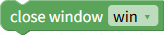
Close the browser window corresponding to the variable.
Show Alert
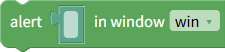
Use the JavaScript alert function to display an alert dialog.
As parameters, specify the variable for the window in which the alert will be displayed and the message to display.
Get Element

Get an HTML element in the specified window using a CSS selector.
Specify the target window and CSS selector as parameters.
Find and elements

Find elements from the specified element using a CSS selector.
Specify the target element and CSS selector as parameters.
Create Element

Create a new HTML element from an HTML string.
The created element can be added to the currently displayed window using the Element Settings or Add Element block.
Set Inner Content

Set HTML or text inside an HTML element.
As parameters, specify the HTML element to set and the HTML or text inside it.
Get inner content

Get the HTML or text inside an HTML element.
As parameters, specify the HTML element to set.
Set value
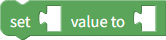
Set the value of an input element in a form.
Specify the target input element and the value to set as parameters.
Get Value

Get the value of an input element in a form.
Specify the target input element as a parameter.
Get Selected Text

Get the text of the item selected in a select box in a form.
Specify the select element to retrieve as a parameter.
Get Checked Value

Get the value of a checked radio button in a form.
Specify the input element of the radio button to retrieve as a parameter.
Set Checked State

Set the checked state of checkboxes and radio buttons in a form.
As parameters, specify the input element of the target checkbox or radio button and its checked/unchecked state.
Get Checked State

Get the checked state of checkboxes and radio buttons.
Specify the input element of the target checkbox or radio button as a parameter.
Add Element

Add a new element before/after the specified element, at the beginning of its child elements, or at the end of its child elements.
Specify the destination element, the position to add it, and the element to add as parameters.
Remove element

Delete an HTML element.
Specify the element to be deleted as a parameter.
Add class
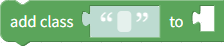
Add a CSS class to an HTML element.
Specify the element to be added and the class name to be added as parameters.
Remove Class

Remove a CSS class from an HTML element.
As parameters, specify the element to be removed and the class name to be removed.
Has Class

Return whether an HTML element has a specified CSS class.
As parameters, specify the element to check and the class name to check.
Set CSS Property

Set CSS property for an HTML element.
As parameters, specify the target element, the property name, and the value to set.
Get CSS Property

Get the value of a CSS property of an HTML element.
As parameters, specify the target element and the property name to retrieve.
Set Attribute

Set the attribute value of an HTML element.
As parameters, specify the target element, the attribute name, and the value to set.
Get Attribute

Get the attribute value of an HTML element.
As parameters, specify the target element and the attribute name to retrieve.
Remove Attribute

Remove an attribute from an HTML element.
As parameters, specify the element to be deleted and the attribute name to be deleted.
Set Event Handler
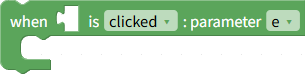
Set an event handler (click, mouse movement, etc.) for an HTML element.
As parameters, specify the element to be set, the event for which the handler is to be set, and the variable name that will receive the argument to the event handler.
Inside this block, include the block that will handle the event.
Get Event Properties

Get properties (mouse coordinates, key codes, etc.) from the event object.
Specify the variable name and the property to retrieve as parameters.