- Install
- Basic operation
- Basics of programming for electronic work
- Basics of programming for Excel
- Launch Excel
- Basic operation
- Range operation
- Sheet operation
- Workbook operation
- Machine learning with scikit-learn
- Visualizing data with matplotlib
- Web programming
- RPA programming
- Miscellaneous programming
- Reference
Launch Excel
Tsumicky is a visual programming environment based on Google's Blockly.
Create a program by connecting various blocks.
The mechanism is the same as Scratch, so if you have programming experience with Scratch, you will be able to get used to it quickly.
Start the Excel server
To connect to Excel from Tsumicky, start the server for that purpose.
The launch procedure is as shown in this page.
Connecting to Excel
When Tsumicky for Excel is started, a block for connecting to Excel is placed.
After that block, create a program by connecting blocks for the actual processing you want to do in Excel (cell operations, etc.).
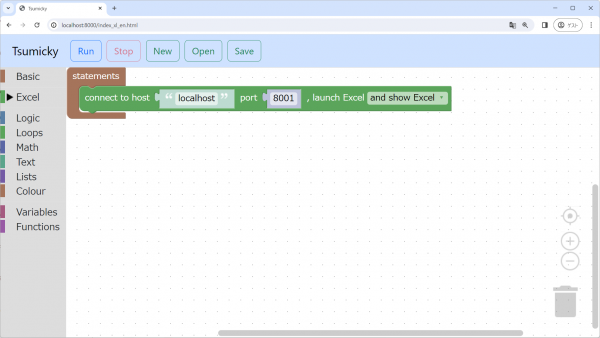
If you want to combine Tsumicky for electronic work with Excel, drag this block from the "Excel" - "Basic" group to the "setup" part of the workspace to start Excel.