- Install
- Basic operation
- Basics of programming for electronic work
- Basics of programming for Excel
- Machine learning with scikit-learn
- Visualizing data with matplotlib
- Web programming
- RPA programming
- Miscellaneous programming
- Reference
Image manipulation
The blocks in the "Image" → "Basic" and "Image" → "Filter" groups allow you to perform various image operations.
Connecting to the RPA Server
Image operations are performed via the RPA server.
Before executing image-related blocks, execute the block that connects to the RPA server.

Opening an Image
The "image from file" block allows you to open an image file.

The return value is a value representing the image ID.
This value should be assigned to a variable and passed to various image processing blocks.

Create New Image
You can create a new image using the "newimage" block.
The "width" and "height" parameters specify the image size.
Additionally, the "color" parameter specifies the fill color within the image.

The return value is a value representing the image ID.
This value should be assigned to a variable and passed to various image processing blocks.

Image Manipulation
You can manipulate images using blocks such as cropping.

The return value is a value representing the ID of the image after the operation.
This ID is then assigned back to a variable so that the next operation can be performed.
Save Image
The "save image to XX" block allows you to save the image after various operations to a file.

Show Image
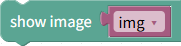
The "show image" block allows you to display the image on the screen after performing various operations.
Apply Filters to Image
The "Image" → "Filter" group block allows you to apply various filters, such as blur, to the image.

After opening the image using the "Opened Image" block, use the filter block to apply a filter to that image.