- Install
- Basic operation
- Basics of programming for electronic work
- Basics of programming for Excel
- Machine learning with scikit-learn
- Visualizing data with matplotlib
- Web programming
- RPA programming
- Miscellaneous programming
- Reference
Pin number
When controlling various modules with a microcontroller, the GPIO pins on the microcontroller are connected to the modules, and signals are sent and received through the GPIO pins.
To distinguish between multiple pins, the pins are numbered.
When operating GPIO pins with Tsumicky, the pin numbers are also used.
ESP32 Series
Microcontrollers using the ESP32 series generally have numbers printed next to the pins.
Use those numbers as they are.
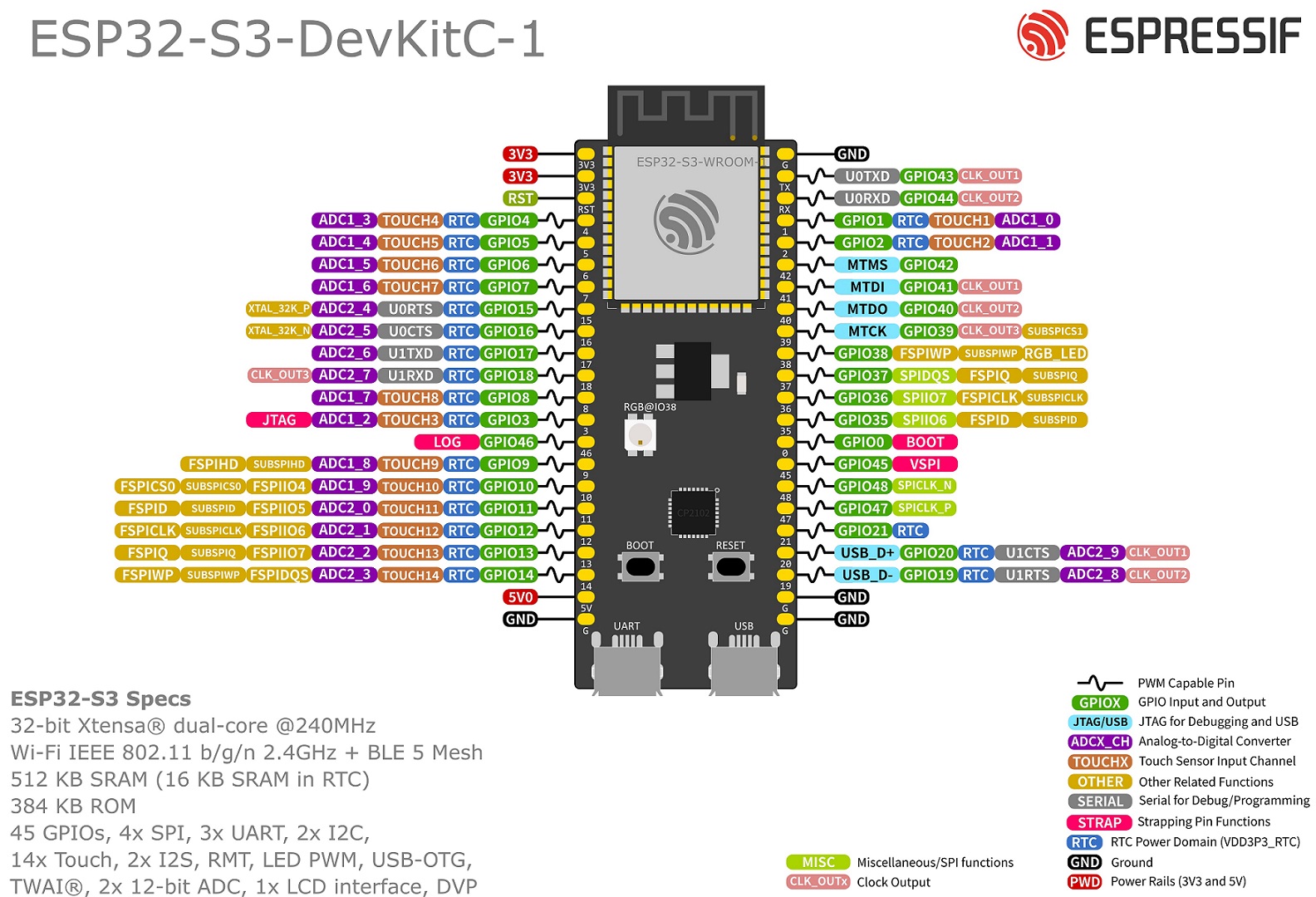
For example, the pin layout on the Espressif genuine ESP32-S3 DevKit-C is shown in the figure below.
The fourth pin from the top on the left column is labeled "GPIO4."
When using this pin with Tsumicky, specify "4" as the pin number.
Raspberry Pi
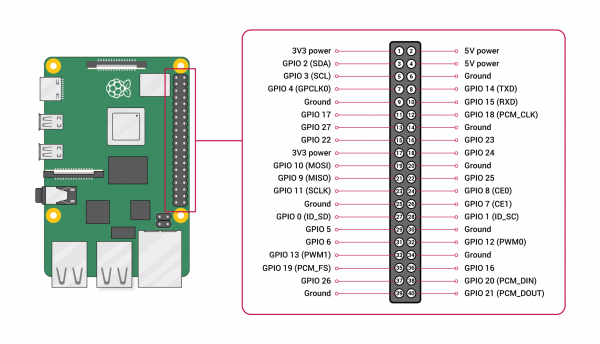
For Raspberry Pi, the pin layout is as shown in the figure below.
For Tsumicky, use the GPIO pin number.
For example, the second pin from the top in the left column is labeled "GPIO 2."
If you use this pin with Tsumicky, specify "2" as the pin number.
Raspberry Pi Pico/Raspberry Pi Pico W
The pin layout for Raspberry Pi Pico/Pico W is as shown in the figure below.
Each pin is numbered "GPx", and Tsumicky uses those numbers.
For example, the top pin in the left column is labeled "GP0".
If you use this pin with Tsumicky, specify "0" as the pin number.

Arduino UNO Q
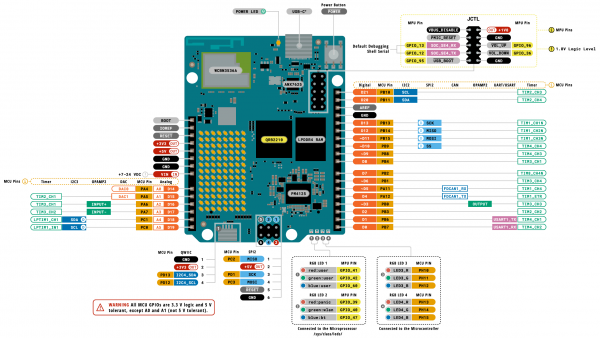
The pinout for the Arduino UNO Q is as shown in the diagram below.
Each pin is numbered "DX," and Tsumicky uses these numbers.
For example, the bottom pin in the right column is labeled "D0."
To use this pin in Tsumicky, specify "0" as the pin number.
Also, the bottom pin in the left column is labeled "D19."
To use this pin in Tsumicky, specify "19" as the pin number.