- Install
- Basic operation
- Basics of programming for electronic work
- Basics of programming for Excel
- Machine learning with scikit-learn
- Visualizing data with matplotlib
- Web programming
- RPA programming
- Miscellaneous programming
- Reference
Control DHT11/22
You can control the temperature/humidity sensor DHT11/22.
If this happens, you will need to close the firmware on the Raspberry Pi and restart it.
Wiring
The DHT11/22 has three pins: + (or V), - (or G), and S.
+ connects to the power supply, - connects to GND, and S connects to any GPIO pin that can accept input.
The power supply voltage can be either 3.3V or 5V.
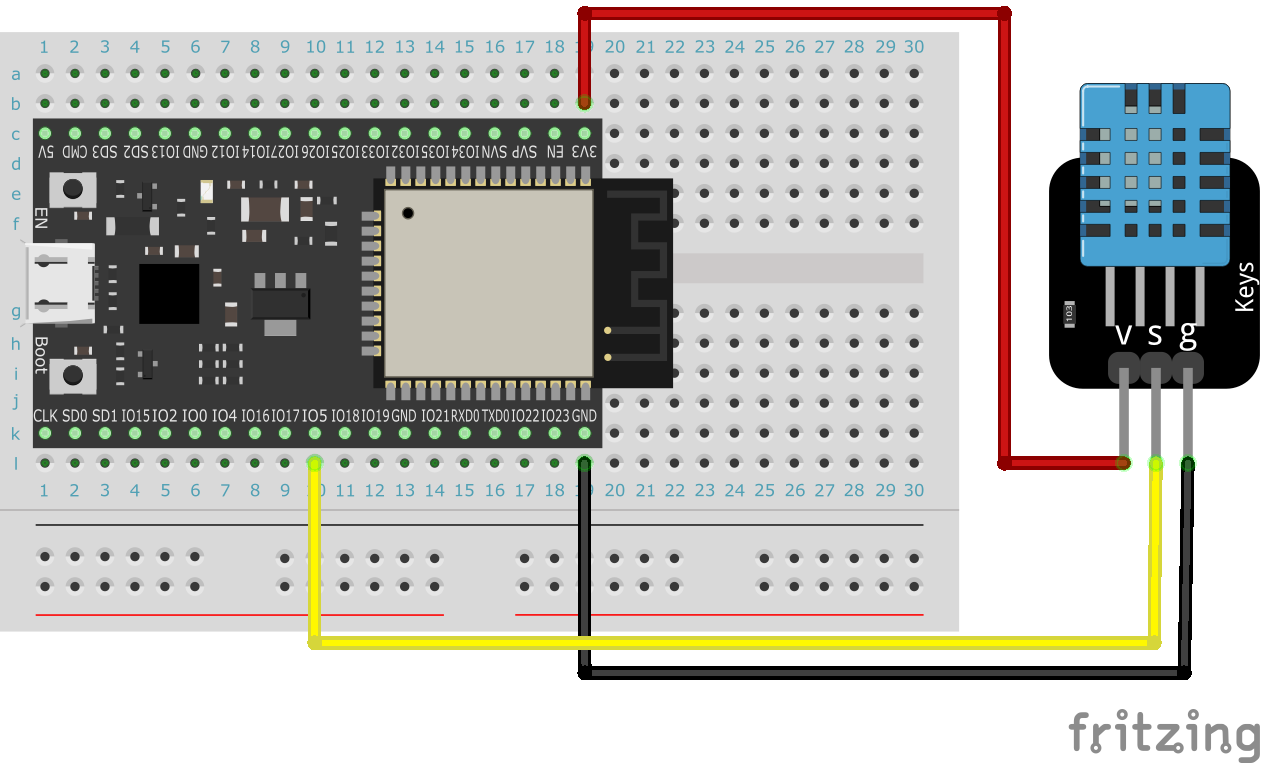
For example, when connecting the DHT11 to an unbranded ESP32, the wires to be used when connecting the S of the DHT11 to pin 5 are as shown in the figure below.
Initialization
First, use the initialization block to initialize DHT11/22.
Specify which DHT11/22 to use and the connection destination of the S pin.

Getting temperature/humidity
After initialization, you can get the temperature/humidity values using the block that gets them.
The temperature unit is degrees Celsius, and the humidity unit is percent.


Example
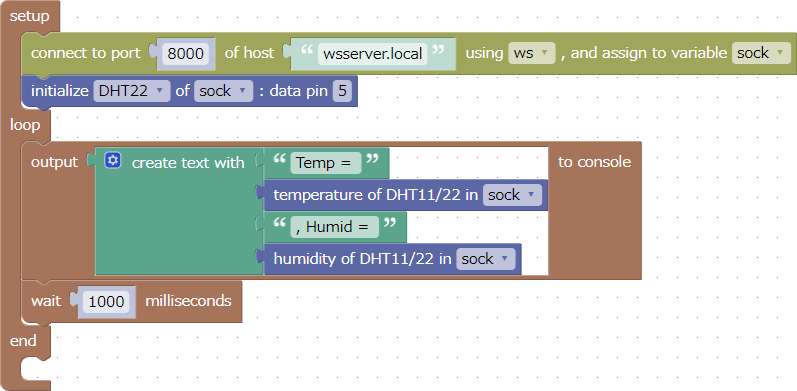
This is an example of obtaining temperature and humidity from a DHT22 connected to pin 5 and outputting it to the console every second.
This sample can be downloaded from here.