- Install
- Basic operation
- Basics of programming for electronic work
- Basics of programming for Excel
- Machine learning with scikit-learn
- Visualizing data with matplotlib
- Web programming
- RPA programming
- Miscellaneous programming
- Reference
Digital Output
Digital output can be performed for things connected to the microcontroller (LEDs, etc.).
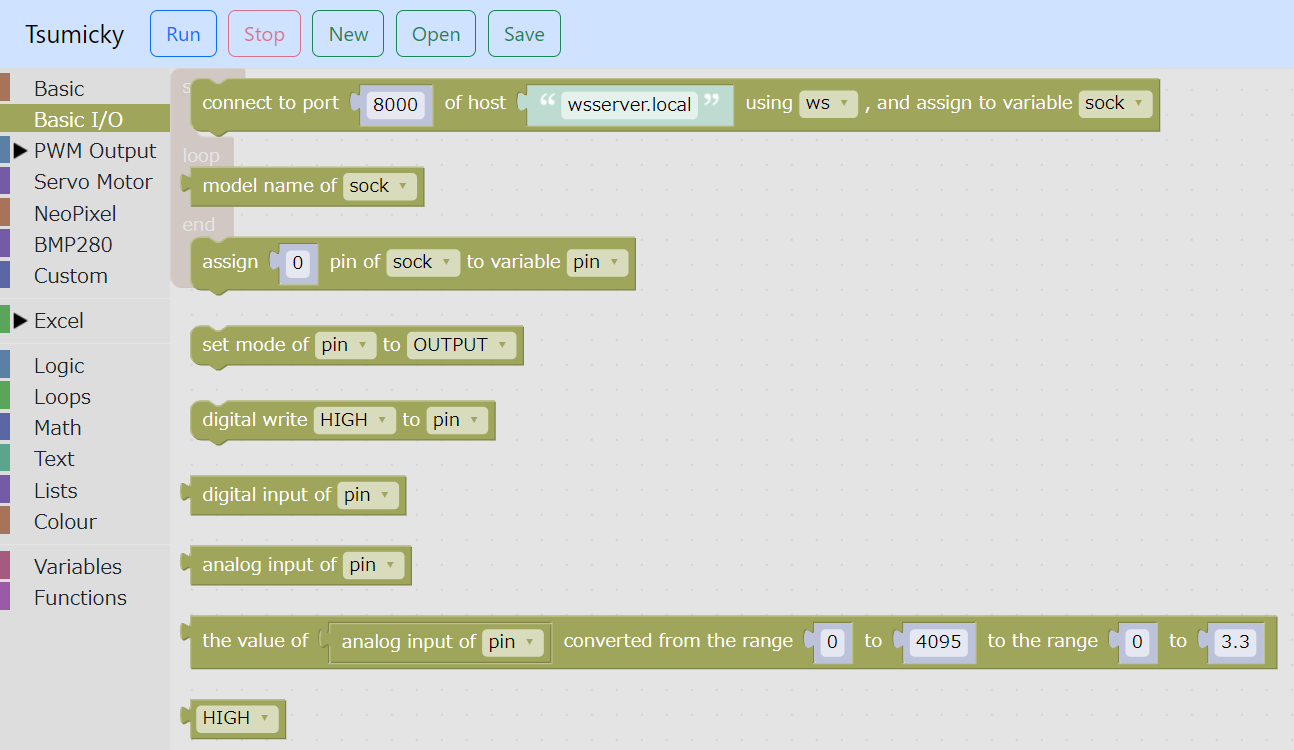
Blocks related to digital output are located in the "Basic I/O" group.
Assign pin to variable
First, use the block "Assign ... pin of ... to variable ..." to assign the output destination pin to a variable.

In the leftmost selection, select the variable to which the connected microcontroller is assigned.
In the center field, specify the pin number.
Then, in the rightmost selection, specify the variable to which you want to assign the pin.
Mode settings
Next, use the "Set mode of ... to ..." block to set the mode of that pin to output.

In the choices on the left, specify the variable to which you have assigned the pin.
Then select "OUTPUT" from the options on the right.
Output of digital value
Next, use the "Digital write ... to ..." block to output a HIGH or LOW digital value to that pin.

In the choices on the left, specify the variable to which you have assigned the pin.
Then, select the output value (“HIGH” or “LOW”) from the options on the right.
Example
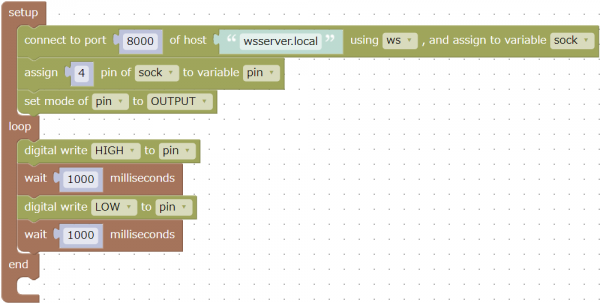
This is an example of outputting HIGH and LOW alternately every second to pin 4 of the microcontroller.
If you connect an LED to pin 4, the LED will blink every second.
Download it here: here.