- Install
- Basic operation
- Basics of programming for electronic work
- Basics of programming for Excel
- Machine learning with scikit-learn
- Visualizing data with matplotlib
- Web programming
- RPA programming
- Miscellaneous programming
- Reference
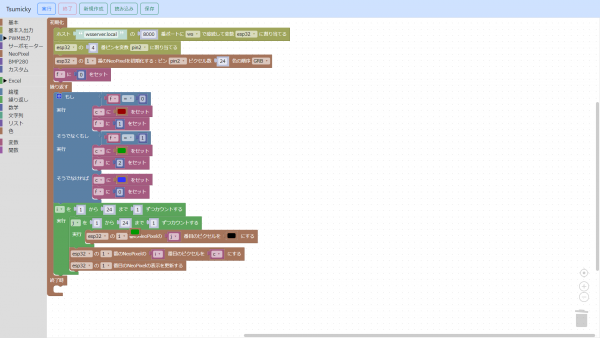
Launch Tsumicky
Tsumicky runs on a web browser.
Installing Python and libraries
Tsumicky itself runs on a web browser, but a Python server is also required as its backend.
For instructions on how to install Python, please refer to https://www.python.org/, etc.
To run the backend server, you need to install Python libraries.
The backend server files are located in the "bkserver" folder within the Tsumicky installation folder.
Use the "requirements.txt" file in that folder to install the Python libraries.
For example, let's say you extracted the Tsumicky zip file to the tsumicky folder on the C drive.
In this case, enter the commands in the following order:
c:
cd \tsumicky\bkserver
pip install -r requirements.txt
Starting the backend server
The backend server is the "bkServer.py" file located in the aforementioned "bkserver" folder.
Running this file in Python will start the backend server.
For example, let's say you've unzipped the Tsumicky zip file into the tsumicky folder on your C drive.
In this case, enter the commands in the following order:
c:
cd \tsumicky\bkserver
python bkServer.py
Once the backend server has started, leave the command prompt open and connect to http://localhost:8000 in your web browser.
This will start Tsumicky.
Selecting an Environment
When launching Tsumicky, a dialog box will open, allowing you to select Japanese or English and the environment appropriate for your programming needs.
Click the "Change to English" link to switch to English.
After that, select an environment and click the "Launch" button to launch in that environment.
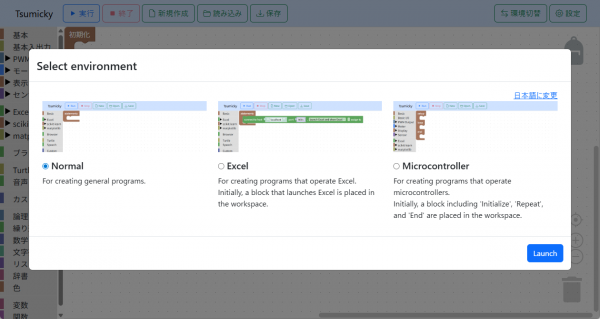
You can also set the default environment at startup by clicking the "Settings" button in the upper right corner of the screen after launching.